Good morning and Happy Monday!
I have been looking at my stats on different svg files I have posted. I have found that my bow easy template has been downloaded over 1,000 times!!! I never imagined it would become that popular! So, I figured some may need some help in learning to use this great tool. I did a search and found this great video.
Have a blessed day!

Showing posts with label Tutorials General. Show all posts
Showing posts with label Tutorials General. Show all posts
Monday, June 14, 2010


Monday, June 7, 2010
Some Paper Flower Tutorials
Good morning everyone.
I started a new project for my future sister n law who is expecting and her shower is this Sunday. I am making her a Baby Mini book for her baby's first year. As I was planning her book, I wanted some neat and easy paper flowers to make. So, I set out on the net hunting some tutorials and decided to share my finds with my readers.
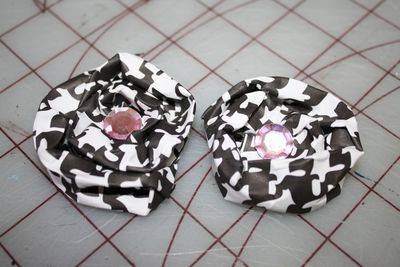

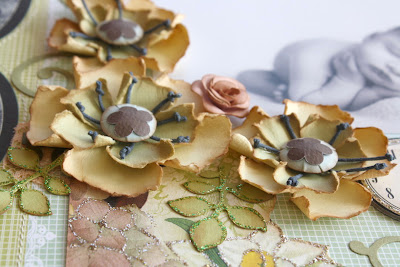


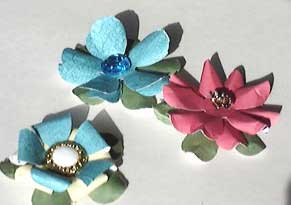
There are so many more but this should be enough to wet your flower appitite. Enjoy and get crafting!!
Friday, June 4, 2010
Where Do Your Customers Come From?
Good morning. I found this great article in the forums on ETSY this morning. Have you ever wondered how your customers found you??? Keep on reading.....
Jewelry maker Sassy Belle Wares solved a problem that we all have. Where Do our BUYERS come from? Yeah we can track visits on Google Analytics, but knowing where out actual buyers came from is a mystery.
So here is the simple solution using Pay Pal:
SassyBelleWares says:
When I was going through the checkout process, I noticed something in the PayPal part that I had never seen before. There was a one question survey asking how I found Flapper Doodle. I always wonder how buyers have found my shop, SassyBelleWares, so I was almost as excited about this question as I was about my new notecards! Yeah, I know about Google Analytics but that makes my head spin so I was thrilled to find there was a simpler way to get an answer to, “How did you find my shop?”! Of course, getting an answer is dependent on the customer answering the question, but I figured it can’t hurt to try.
So off to PayPal I went to figure out how I could get this question into my checkout process. I found the answer almost immediately and was shocked at how easy it was to implement the one question survey! I realized I couldn’t be the only one who did not know this was an option. After all, this was the first time I had seen it at checkout and I have done lots of shopping on Etsy! Thank you Eloise and Ramona for making me want to buy your notecards thus stumbling upon this helpful feature! In return I will share my discovery with everyone!
The quick and easy steps to add the one question survey:
1) Login to your PayPal account
2) Under “my account” click “profile”
3) Under “selling preferences” click “custom payment pages”, then click “options” and go to “merchant service options”
4) Check “add a customer service survey” and fill in the blanks*
5) Make sure you click “SAVE” before you exit
* I used “How did you find SassyBelleWares” for my question. I thought using my shop name rather than just “us” or “me” might help them remember my shop better for next time. You can ask any question you would like and add any answers for the customers to choose from. For the five answer choices, I used:
-friend/family
-google search
-yahoo search
-facebook
-Etsy
Hope this information is helpful to you!
Here is the link to the guest article on Handmade Spark for all the easy to follow screen shots:
http://www.handmadespark.com/blog/ever-wonder-how-customers-find-your-etsy-shop/
Jewelry maker Sassy Belle Wares solved a problem that we all have. Where Do our BUYERS come from? Yeah we can track visits on Google Analytics, but knowing where out actual buyers came from is a mystery.
So here is the simple solution using Pay Pal:
SassyBelleWares says:
When I was going through the checkout process, I noticed something in the PayPal part that I had never seen before. There was a one question survey asking how I found Flapper Doodle. I always wonder how buyers have found my shop, SassyBelleWares, so I was almost as excited about this question as I was about my new notecards! Yeah, I know about Google Analytics but that makes my head spin so I was thrilled to find there was a simpler way to get an answer to, “How did you find my shop?”! Of course, getting an answer is dependent on the customer answering the question, but I figured it can’t hurt to try.
So off to PayPal I went to figure out how I could get this question into my checkout process. I found the answer almost immediately and was shocked at how easy it was to implement the one question survey! I realized I couldn’t be the only one who did not know this was an option. After all, this was the first time I had seen it at checkout and I have done lots of shopping on Etsy! Thank you Eloise and Ramona for making me want to buy your notecards thus stumbling upon this helpful feature! In return I will share my discovery with everyone!
The quick and easy steps to add the one question survey:
1) Login to your PayPal account
2) Under “my account” click “profile”
3) Under “selling preferences” click “custom payment pages”, then click “options” and go to “merchant service options”
4) Check “add a customer service survey” and fill in the blanks*
5) Make sure you click “SAVE” before you exit
* I used “How did you find SassyBelleWares” for my question. I thought using my shop name rather than just “us” or “me” might help them remember my shop better for next time. You can ask any question you would like and add any answers for the customers to choose from. For the five answer choices, I used:
-friend/family
-google search
-yahoo search
-Etsy
Hope this information is helpful to you!
Here is the link to the guest article on Handmade Spark for all the easy to follow screen shots:
http://www.handmadespark.com/blog/ever-wonder-how-customers-find-your-etsy-shop/
Sunday, February 28, 2010
New File - Customizing and Understanding Blog Structure
I found this great web site with a series of tutorials on creating your own custom templates to use with Blogger. Click Here To Download Word document ..
The Creidt for the instructions goes to http://www.ourblogtemplates.com/
The Creidt for the instructions goes to http://www.ourblogtemplates.com/
Subscribe to:
Posts (Atom)